Port circuit display to Android
Design estimate
- Complexity: large (6 days)
- Uncertainty: high (2.0)
- Total: 12 days (72 hours)
- Actual: 52h 10m
Context
Tor Browser for Android doesn't have a UI to display the circuit being used to load the websites the user is visiting. On the other hand, we're currently working on improving the Circuit Display component on Tor Browser for Desktop so the user will know when a multi-path circuit (aka Conflux) is being used (#152 (closed)). We can use take this opportunity to port the Circuit Display to Android too, improving the experience for its users as well as increasing the Browser consistency between devices.
Scope
- Design UI for the Circuit Display component on Android;
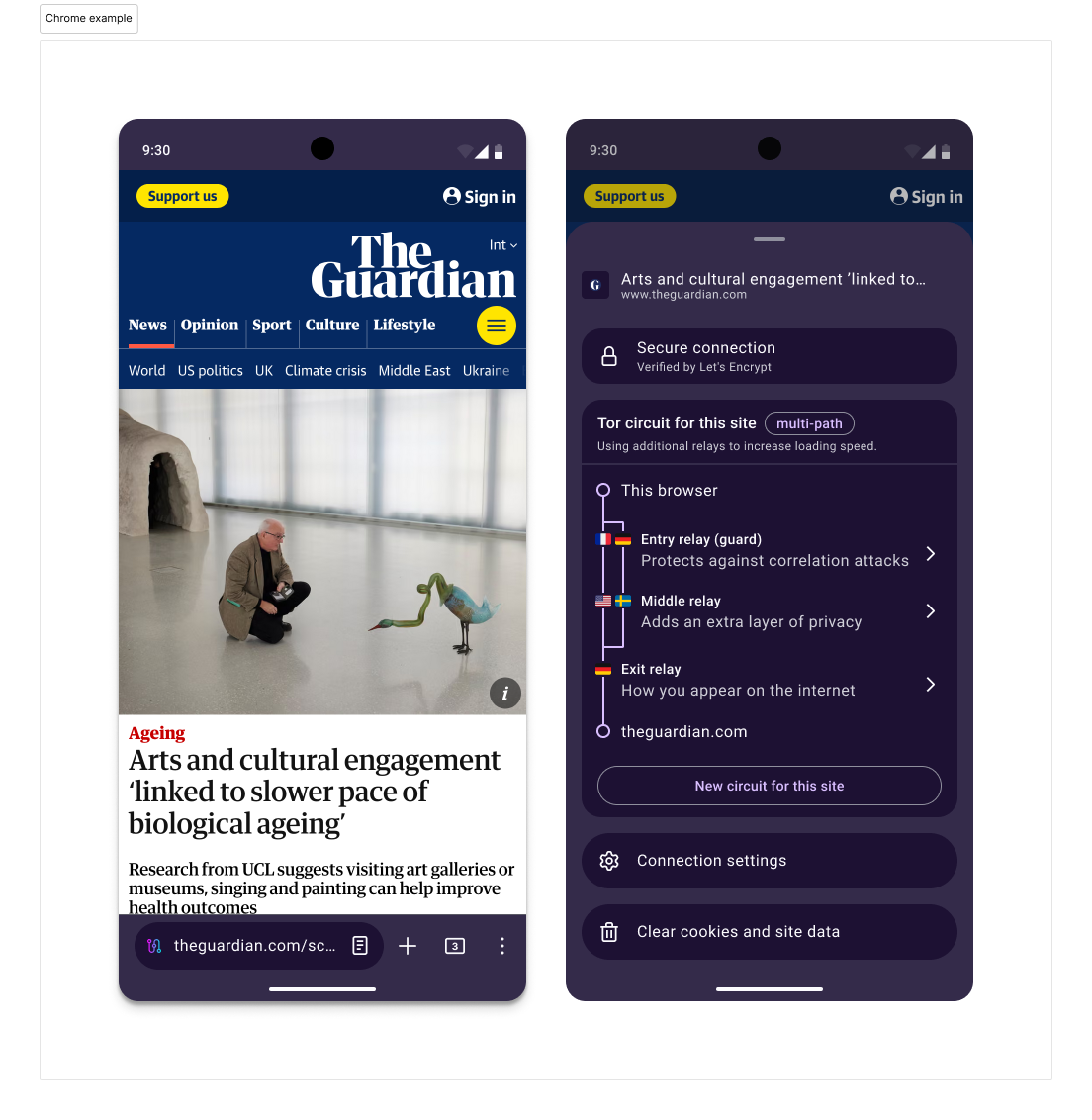
- Replace padlock icon in the address bar for the circuit display icon;
- Consider single and multi-path circuits.
Out of scope
- Circuits with more than 2 paths.
Acceptance criteria
AC 1 – Visiting an onion site directly from its address
Given the user inputs an onion address in the address bar
When they confirm
Then the browser will use a single-path circuit to connect
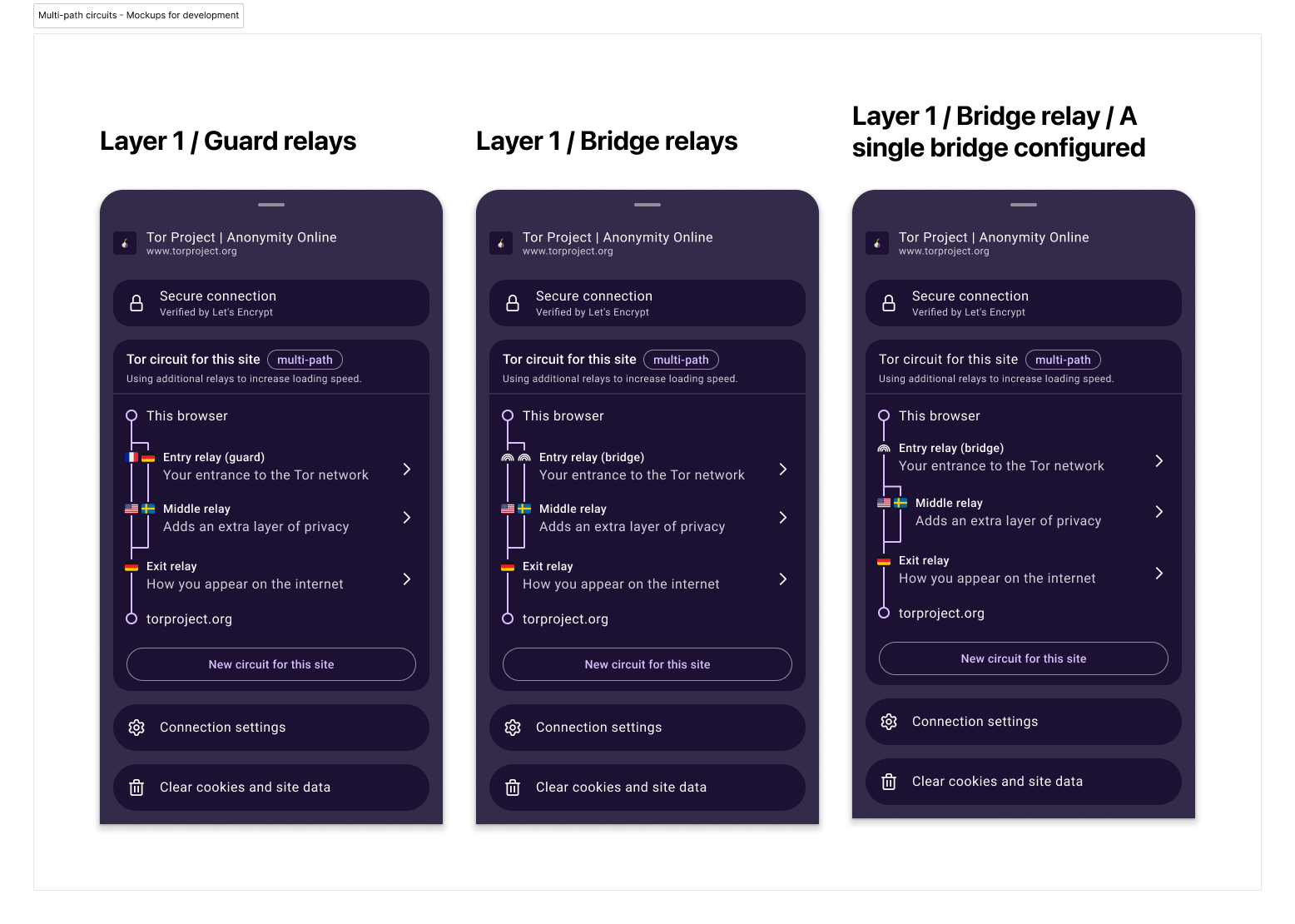
**AC 2 – Multi-path circuit with only one bridge configured
**
Given the browser is using a multi-path circuit
And it has only a single bridge configured
When it connects to a site
Then the circuit display will show the path diverging only for the middle relays
AC 3 – Checking more details about the relays
Given the browser is connected to a site
And the Bottom Sheet is open
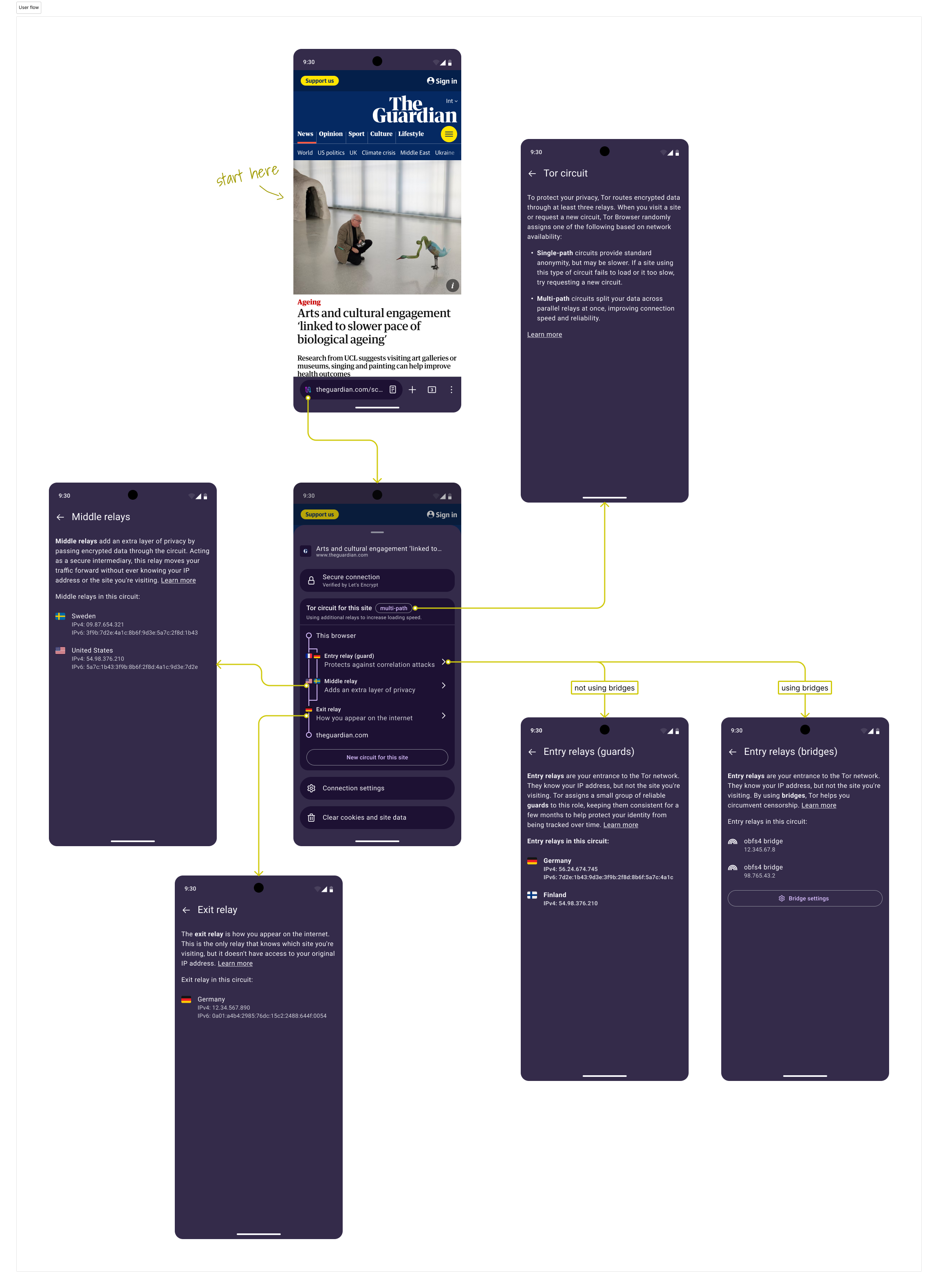
When the user opens clicks in one of the relays
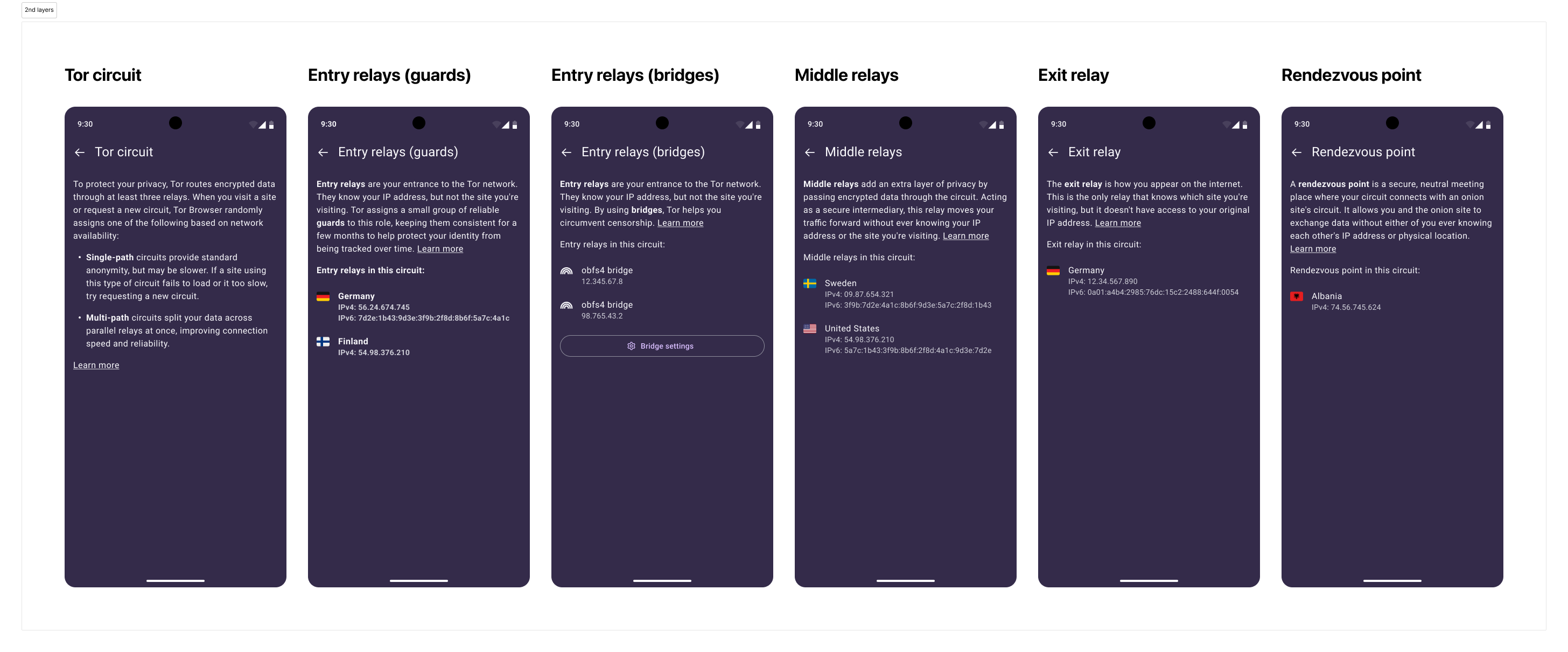
Then the Bottom Sheet will navigate to a full screen second layer showing the correspondent number of relay addresses
AC 4 – Checking more detailed info in the manual
Given any second layer of the Unified Circuit Panel (UCP) is open
When the user presses any “Learn more” link
Then the browser will open a new tab with the related part of the manual
AC 5 – Going to Bridge settings
Given the UCP is showing information about bridges
When the user clicks on “Bridge settings...”
Then the browser will open a new tab focused on Bridge settings
Mockups
- Figma file for development
- Interactive mockup
Single-path circuits

Multi-path circuits
2nd layers
Chrome example
User flow
Accessibility notes
Reading order for screen readers:
